Informatica Intelligent Data Management Cloud (IDMC) replaced PowerCenter as Informatica's flagship integration platform, moving mapping design and execution to the cloud. But IDMC brings its own challenges: per-IPU pricing that escalates with data volume, Secure Agent infrastructure that still requires on-prem management, and a walled-garden approach that locks transformation logic into Informatica's proprietary runtime. For organizations already investing in Databricks as their lakehouse platform, running a parallel IDMC subscription creates redundant cost and architectural complexity.
This article provides a detailed technical mapping of Informatica IDMC Cloud Data Integration (CDI) concepts to their Databricks equivalents, covering mappings, transformations, taskflows, connections, and the Secure Agent runtime model.
IDMC Architecture vs. Databricks Architecture
IDMC operates on a multi-tenant cloud control plane with Secure Agents deployed in the customer's environment to execute data movement and transformation. CDI mappings are designed in a browser-based visual editor and compiled into execution plans that run on Secure Agent groups. Taskflows orchestrate mapping execution with conditional logic, timers, and error handling.
Databricks provides a unified analytics platform built on Apache Spark. Notebooks combine code (Python, SQL, Scala) with documentation. Delta Lake provides ACID transactions on a data lakehouse. Unity Catalog governs data access. Databricks Workflows orchestrate notebook and job execution with dependency management, retries, and alerting.
| IDMC Concept | Databricks Equivalent | Notes |
|---|---|---|
| CDI Mapping | Databricks Notebook / PySpark script | Visual mapping becomes code with full version control |
| Mapping Task | Databricks Job | Configured execution with cluster, parameters, schedule |
| Taskflow | Databricks Workflow | Multi-step orchestration with dependencies and branching |
| Secure Agent | Databricks Cluster / SQL Warehouse | Elastic compute replaces fixed agent infrastructure |
| Secure Agent Group | Cluster Pool / Instance Pool | Shared compute resources with auto-scaling |
| Connection | Unity Catalog External Location / Secret | Centralized credential management via Databricks Secrets |
| Parameter File | Notebook Widgets / Job Parameters | Runtime parameters passed via dbutils.widgets or job config |
| In-Out Parameters | Notebook exit values / Task values | dbutils.notebook.exit() and taskValues for inter-task communication |
| Data Preview | display() / df.show() | Interactive preview in notebooks with visualization |
| Hierarchy Parser | from_json() / explode() | Native Spark JSON/XML parsing functions |

Informatica to Databricks migration — automated end-to-end by MigryX
Mapping IDMC Transformations to PySpark on Databricks
IDMC CDI transformations are similar to PowerCenter's but redesigned for cloud execution. Below are the most common IDMC transformations mapped to their Databricks PySpark equivalents.
Source and Target Transformations
IDMC Source transformations connect to databases, files, SaaS applications, and cloud storage through managed connections. In Databricks, sources are accessed through Unity Catalog tables, JDBC connections, or direct cloud storage reads.
# IDMC Source: Read from Salesforce via IDMC connector
# IDMC Target: Write to Snowflake via IDMC connector

# Databricks equivalent — read from Unity Catalog, write to Delta
source_df = spark.table("catalog.bronze.salesforce_accounts")

# Or read from external source via JDBC
source_df = (
    spark.read
    .format("jdbc")
    .option("url", dbutils.secrets.get("scope", "sf-jdbc-url"))
    .option("dbtable", "accounts")
    .option("user", dbutils.secrets.get("scope", "sf-user"))
    .option("password", dbutils.secrets.get("scope", "sf-password"))
    .load()
)

# Write to Delta Lake table in Unity Catalog
source_df.write.mode("overwrite").saveAsTable("catalog.silver.accounts")
Joiner Transformation
IDMC's Joiner works like PowerCenter's but with cloud-optimized execution. The same join types (Normal, Master Outer, Detail Outer, Full Outer) are available. In Databricks, joins leverage Spark's adaptive query execution for optimal performance.
# IDMC Joiner: Join accounts with opportunities on account_id
# Join Type: Master Outer (left join on detail)

# Databricks PySpark equivalent
from pyspark.sql import functions as F

accounts = spark.table("catalog.silver.accounts")
opportunities = spark.table("catalog.silver.opportunities")

enriched = opportunities.join(
    accounts,
    opportunities.account_id == accounts.account_id,
    "left"
).select(
    opportunities["*"],
    accounts.account_name,
    accounts.industry,
    accounts.region
)
Aggregator Transformation
IDMC Aggregator transformations group and aggregate data with support for sorted input and incremental aggregation. Databricks provides groupBy().agg() with Spark's cost-based optimizer automatically selecting the best aggregation strategy.
# IDMC Aggregator: Revenue by region and quarter
# Group By: region, fiscal_quarter
# Aggregates: SUM(deal_amount), COUNT(opportunity_id), AVG(close_probability)

# Databricks equivalent
pipeline_summary = (
    opportunities
    .groupBy("region", "fiscal_quarter")
    .agg(
        F.sum("deal_amount").alias("total_pipeline"),
        F.count("opportunity_id").alias("deal_count"),
        F.avg("close_probability").alias("avg_probability"),
        F.max("close_date").alias("latest_close")
    )
    .orderBy("region", "fiscal_quarter")
)

# Write results to gold layer
pipeline_summary.write.mode("overwrite").saveAsTable("catalog.gold.pipeline_summary")
Lookup Transformation
IDMC Lookup transformations retrieve reference data from connected sources with caching. In Databricks, small lookup tables use broadcast joins, while Unity Catalog managed tables provide consistent, governed reference data.
# IDMC Lookup: Enrich opportunities with product catalog details
# Lookup Source: product_catalog
# Condition: source.product_id = lookup.product_id
# Return: product_name, product_tier, list_price

# Databricks equivalent
product_catalog = spark.table("catalog.ref.product_catalog")

enriched_opps = opportunities.join(
    F.broadcast(
        product_catalog.select("product_id", "product_name", "product_tier", "list_price")
    ),
    "product_id",
    "left"
)
Expression and Router Transformations
IDMC Expression transformations calculate derived fields, and Router transformations split data streams based on conditions. Both translate cleanly to PySpark withColumn() and filter().
# IDMC Expression: Calculate weighted_score and deal_tier
# weighted_score = deal_amount * close_probability / 100
# IDMC Router: Route by deal_tier
# Group 1: weighted_score >= 100000 → enterprise
# Group 2: weighted_score >= 25000  → mid_market
# Default: smb

# Databricks equivalent
scored = (
    enriched_opps
    .withColumn("weighted_score", F.col("deal_amount") * F.col("close_probability") / 100)
    .withColumn(
        "deal_tier",
        F.when(F.col("weighted_score") >= 100000, "enterprise")
         .when(F.col("weighted_score") >= 25000, "mid_market")
         .otherwise("smb")
    )
)

# Write partitioned by tier for downstream consumers
scored.write.mode("overwrite").partitionBy("deal_tier").saveAsTable("catalog.gold.scored_pipeline")
Hierarchy Parser (JSON/XML)
IDMC includes a Hierarchy Parser transformation for flattening nested JSON and XML structures, a common requirement when ingesting SaaS API responses. In Databricks, Spark's native from_json(), explode(), and schema_of_json() handle this natively.
# IDMC Hierarchy Parser: Flatten nested JSON from REST API response
# Input: {"orders": [{"id": 1, "items": [{"sku": "A1", "qty": 2}]}]}

# Databricks equivalent
from pyspark.sql.types import StructType, ArrayType, StringType, IntegerType

raw = spark.table("catalog.bronze.api_responses")

flattened = (
    raw
    .withColumn("orders", F.explode(F.col("payload.orders")))
    .withColumn("items", F.explode(F.col("orders.items")))
    .select(
        F.col("orders.id").alias("order_id"),
        F.col("items.sku"),
        F.col("items.qty")
    )
)
MigryX: Purpose-Built Parsers for Every Legacy Technology
MigryX does not rely on generic text matching or regex-based parsing. For every supported legacy technology, MigryX has built a dedicated Abstract Syntax Tree (AST) parser that understands the full grammar and semantics of that platform. This means MigryX captures not just what the code does, but why — understanding implicit behaviors, default settings, and platform-specific quirks that generic tools miss entirely.
Taskflow to Databricks Workflows
IDMC Taskflows orchestrate Mapping Tasks, Data Quality tasks, and custom commands with conditional branching, parallel execution, and error handling. Databricks Workflows provides the same capabilities with richer scheduling, alerting, and integration with the Databricks ecosystem.
# Databricks Workflow definition (JSON — typically configured via UI or Terraform)
# Replacing an IDMC Taskflow that runs: Extract → Transform → Load → Notify

# In practice, define via Databricks Asset Bundles (DABs) or Terraform:
{
  "name": "daily_pipeline",
  "schedule": {
    "quartz_cron_expression": "0 0 6 * * ?",
    "timezone_id": "America/New_York"
  },
  "tasks": [
    {
      "task_key": "extract_sources",
      "notebook_task": {"notebook_path": "/Repos/etl/extract_sources"},
      "new_cluster": {"spark_version": "14.3.x-scala2.12", "num_workers": 4}
    },
    {
      "task_key": "transform_enrich",
      "depends_on": [{"task_key": "extract_sources"}],
      "notebook_task": {"notebook_path": "/Repos/etl/transform_enrich"}
    },
    {
      "task_key": "load_gold",
      "depends_on": [{"task_key": "transform_enrich"}],
      "notebook_task": {"notebook_path": "/Repos/etl/load_gold_tables"}
    },
    {
      "task_key": "notify_team",
      "depends_on": [{"task_key": "load_gold"}],
      "notification_settings": {
        "alerts": [{"on_success": ["data-team@company.com"]}]
      }
    }
  ]
}
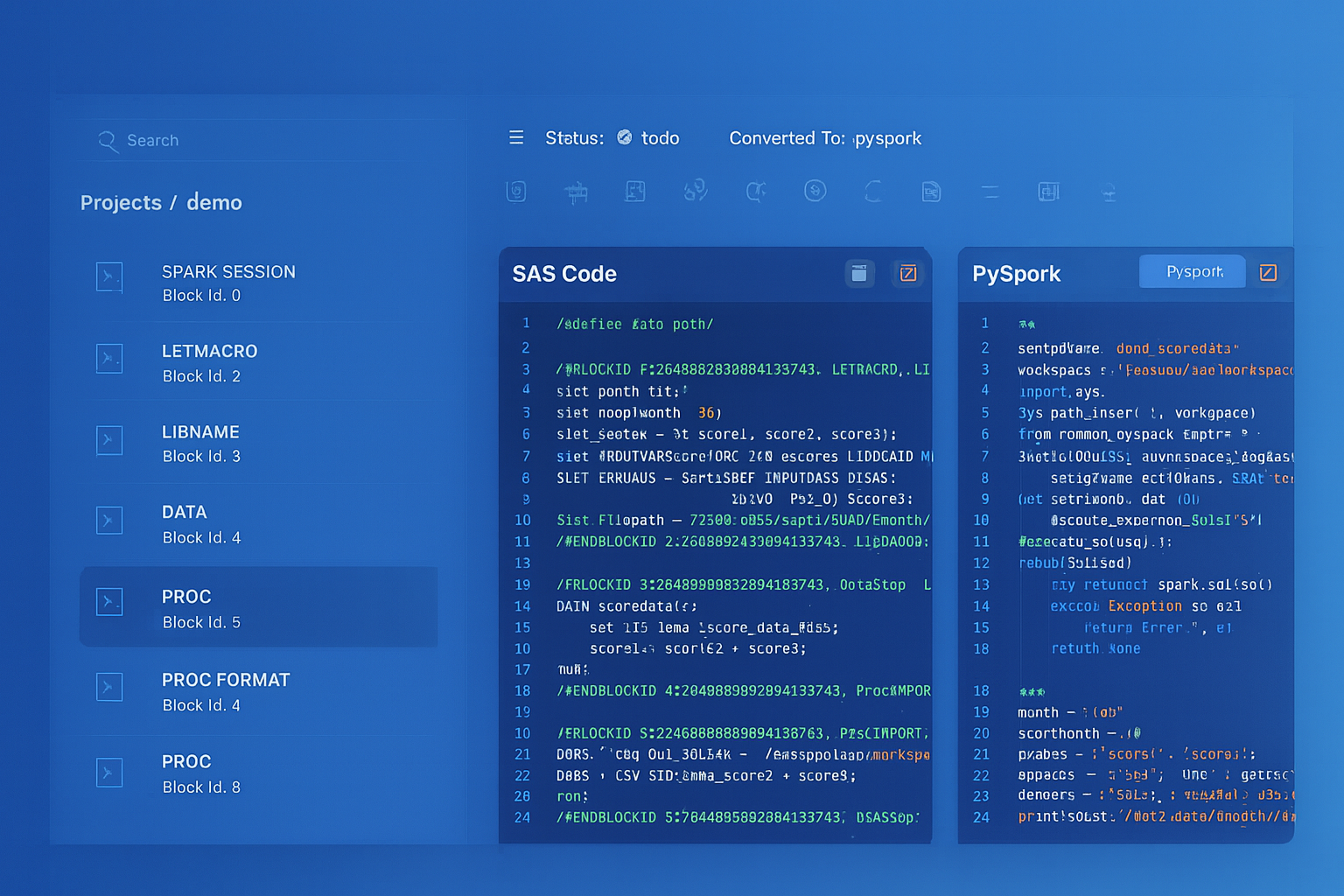
From parsed legacy code to production-ready modern equivalents — MigryX automates the entire conversion pipeline
From Legacy Complexity to Modern Clarity with MigryX
Legacy ETL platforms encode business logic in visual workflows, proprietary XML formats, and platform-specific constructs that are opaque to standard analysis tools. MigryX’s deep parsers crack open these proprietary formats and extract the underlying data transformations, business rules, and data flows. The result is complete transparency into what your legacy code actually does — often revealing undocumented logic that even the original developers had forgotten.
Secure Agent vs. Databricks Compute
One of the biggest architectural shifts is replacing the Secure Agent model. IDMC Secure Agents are persistent, on-prem or VM-based processes that execute integration tasks. They require patching, monitoring, capacity planning, and manual scaling. Databricks clusters, by contrast, are ephemeral, auto-scaling, and fully managed.
- Secure Agent scaling — requires provisioning additional agents and configuring agent groups. Databricks auto-scales clusters from min to max workers based on workload.
- Agent maintenance — Secure Agents require OS patches, Java updates, and Informatica version upgrades. Databricks manages the runtime entirely.
- Network connectivity — Secure Agents provide access to on-prem sources. Databricks uses Private Link, VPC peering, or the Databricks-managed VNet for secure connectivity.
- Cost model — Secure Agents run continuously. Databricks clusters terminate after inactivity, and serverless SQL warehouses scale to zero.
Delta Lake: ACID Transactions for ETL
IDMC targets relational databases or flat files with limited transactional guarantees during loads. Delta Lake on Databricks provides ACID transactions, schema enforcement, time travel, and MERGE operations that replace IDMC's Update Strategy logic.
# IDMC Update Strategy equivalent: MERGE (upsert) into Delta table
from delta.tables import DeltaTable

target = DeltaTable.forName(spark, "catalog.silver.customers")
source = spark.table("catalog.bronze.customer_updates")

target.alias("t").merge(
    source.alias("s"),
    "t.customer_id = s.customer_id"
).whenMatchedUpdate(set={
    "name": "s.name",
    "email": "s.email",
    "updated_at": "s.updated_at"
}).whenNotMatchedInsertAll().execute()
Delta Lake's MERGE command replaces IDMC's Update Strategy transformation entirely. It handles insert, update, and delete operations in a single atomic transaction with full ACID guarantees — something IDMC achieves only with additional configuration and database-level locking.
Unity Catalog: Governance Without IDMC
IDMC provides data governance through its Cloud Data Governance and Catalog (CDGC) product. Databricks Unity Catalog provides equivalent capabilities natively: fine-grained access control, column-level masking, row-level security, data lineage, and audit logging — all integrated directly into the compute and storage layer.
- Access Control — Unity Catalog uses standard SQL GRANT/REVOKE with three-level namespace (catalog.schema.table). IDMC uses role-based access on connections and assets.
- Lineage — Unity Catalog automatically tracks column-level lineage across notebooks, jobs, and SQL queries. No additional configuration required.
- Audit — Every data access and modification is logged in Unity Catalog's system tables, queryable via SQL.
Key Takeaways
- Every IDMC CDI transformation has a direct Databricks/PySpark equivalent — Source to spark.read/Unity Catalog, Joiner to join(), Aggregator to groupBy().agg(), Lookup to broadcast join, Hierarchy Parser to explode().
- IDMC Taskflows map to Databricks Workflows with richer scheduling, dependency management, and native integration with Delta Lake and Unity Catalog.
- Secure Agents are replaced by auto-scaling, ephemeral Databricks clusters — eliminating agent maintenance, patching, and manual capacity planning.
- Delta Lake's MERGE operation replaces IDMC's Update Strategy with atomic, ACID-compliant upserts directly on the lakehouse.
- Unity Catalog provides governance, lineage, and access control natively, removing the need for IDMC's separate CDGC product.
- MigryX automates the conversion of IDMC CDI mappings and taskflows to Databricks notebooks, PySpark scripts, and Workflows — preserving transformation logic while enabling lakehouse-native execution.
Migrating from Informatica IDMC to Databricks consolidates your data platform onto a single lakehouse architecture. The transformation logic translates cleanly from CDI mappings to PySpark notebooks. Orchestration moves from Taskflows to Databricks Workflows. And the compute model shifts from fixed Secure Agent infrastructure to elastic, auto-scaling clusters. For organizations paying both IDMC IPU costs and Databricks licensing, eliminating the IDMC layer is a direct path to reduced cost and simplified architecture.
Why MigryX Is the Only Platform That Handles This Migration
The challenges described throughout this article are exactly what MigryX was built to solve. Here is how MigryX transforms this process:
- Deep AST parsing: MigryX’s custom-built parsers achieve 95% accuracy on every supported legacy technology — not through approximation, but through true semantic understanding.
- Merlin AI augmentation: Where deterministic parsing reaches its limit, Merlin AI resolves ambiguities and implicit behaviors, pushing accuracy to 99%.
- Complete coverage: MigryX supports 25+ source technologies including SAS, Informatica, DataStage, SSIS, Alteryx, Talend, ODI, Teradata, and Oracle PL/SQL.
- End-to-end automation: From parsing to conversion to validation — MigryX automates the entire pipeline, not just one step.
MigryX combines precision AST parsing with Merlin AI to deliver 99% accurate, production-ready migration — turning what used to be a multi-year manual effort into a streamlined, validated process. See it in action.
Ready to migrate from Informatica IDMC to Databricks?
See how MigryX converts IDMC CDI mappings and taskflows to production-ready Databricks notebooks, PySpark pipelines, and Delta Lake workflows.
Explore Informatica Migration Schedule a Demo