Alteryx Designer has carved a strong position in the self-service analytics market. Its drag-and-drop interface lets business analysts build data preparation, blending, and analytics workflows without writing code. But as organizations scale, Alteryx's architecture becomes a bottleneck. Workflows run on single desktop machines or Alteryx Server nodes with limited horizontal scaling. Per-seat licensing costs accumulate as teams grow. And the visual-only paradigm creates governance gaps — workflows stored as binary .yxmd files resist version control, code review, and automated testing.
Databricks offers a fundamentally different model: notebook-based development on distributed Apache Spark clusters, with Delta Lake for reliable storage, Unity Catalog for governance, and native collaboration through shared workspaces. For organizations already using Databricks for data engineering or machine learning, running a parallel Alteryx deployment creates redundant cost and architectural fragmentation.
This article provides a comprehensive technical mapping of Alteryx Designer tools to their Databricks PySpark equivalents, with detailed code examples, architecture comparisons, and guidance on parsing .yxmd workflow files for automated migration.
Why Migrate from Alteryx to Databricks?
Scalability Beyond the Desktop
Alteryx Designer workflows execute on a single machine. Even Alteryx Server, which provides scheduling and sharing, runs workflows on individual worker nodes without distributing computation across multiple machines. When a workflow processes 100 million rows, it must fit in the memory of that single node. PySpark on Databricks distributes data across a cluster of machines, processing terabytes of data with automatic shuffle and partition management. A workflow that takes 45 minutes on an Alteryx Server node may complete in 3 minutes on a Databricks cluster with 8 workers.
Eliminating Desktop Dependency
Alteryx Designer is a Windows desktop application. Analysts must install the software, manage license keys, and store workflow files on local or network drives. This creates operational overhead: IT teams manage desktop deployments, license servers, and file shares. Databricks notebooks run in a browser, accessible from any device, with no local installation required. Notebooks are stored in the workspace with version history, shared across teams, and executable on elastic compute resources.
Notebook-Based Collaboration
Alteryx workflows are visual canvases that cannot be meaningfully diffed, reviewed, or merged using standard version control tools. When two analysts modify the same workflow, resolving conflicts requires manual visual comparison. Databricks notebooks are code — Python, SQL, or Scala — that integrates natively with Git. Pull requests, code reviews, branching, and merging work the same way as any software engineering workflow. This brings data preparation into the same governance framework as production applications.
Cost Optimization
Alteryx licensing is per-seat for Designer (typically $5,000-$6,000/year per user) and per-core for Server. An organization with 50 analysts using Alteryx Designer faces $250,000-$300,000 in annual license costs before server infrastructure. Databricks charges for compute consumption — clusters spin up when jobs run and terminate when they complete. Analysts who use notebooks occasionally pay only for the compute they consume, not for a perpetual desktop license. For teams that process data in scheduled batches, serverless SQL warehouses further reduce cost by scaling to zero between executions.
Unified Platform
Alteryx handles data preparation and blending but relies on external tools for machine learning (connecting to Python/R), data storage (databases, file shares), and dashboarding (Tableau, Power BI). Databricks provides a single platform for data engineering, data science, machine learning, and SQL analytics. Migrating Alteryx workflows to Databricks eliminates the integration seams between preparation, modeling, and reporting.

Alteryx to Databricks migration — automated end-to-end by MigryX
Architecture Comparison: Alteryx Designer vs. Databricks
Understanding the architectural differences is essential for planning the migration. Alteryx operates as a desktop application with optional server deployment, while Databricks is a cloud-native platform built on distributed computing.
In Alteryx, a workflow (.yxmd file) is a directed graph of tools connected by data streams. When executed, the Alteryx engine reads the graph, builds an execution plan, and processes data through the tool chain on a single machine. The engine uses an in-memory processing model with disk spill for large datasets. Alteryx Server adds scheduling, gallery sharing, and worker-node execution, but each workflow still runs on one node.
In Databricks, a notebook contains cells of code (Python, SQL, Scala, R) that execute on an Apache Spark cluster. Spark distributes data across worker nodes as partitioned DataFrames. Transformations are lazy — they build an execution plan that Spark's Catalyst optimizer refines before execution. The result is massively parallel processing with automatic memory management, shuffle optimization, and adaptive query execution.
| Alteryx Concept | Databricks Equivalent | Key Difference |
|---|---|---|
| Alteryx Designer (desktop app) | Databricks Notebook (browser-based) | No local installation; multi-language support |
| Alteryx Server | Databricks Workspace + Workflows | Cloud-native; elastic compute; DAG orchestration |
| Workflow (.yxmd file) | Notebook (.py/.sql) + Delta tables | Code-based; version-controlled; Git-integrated |
| Alteryx Gallery | Databricks Workspace / Repos | Collaborative with Git branching and PR workflows |
| Alteryx Engine (single-node) | Apache Spark (distributed cluster) | Horizontal scaling across many nodes |
| In-DB tools | Databricks SQL / spark.sql() | Native SQL pushdown on Delta Lake |
| Scheduler | Databricks Workflows | DAG-based with dependencies, retries, alerting |
| Analytic App | Notebook + Widgets / Databricks App | dbutils.widgets for parameterized execution |
| License Server | Consumption-based billing | Pay per compute hour, not per seat |
MigryX: Purpose-Built Parsers for Every Legacy Technology
MigryX does not rely on generic text matching or regex-based parsing. For every supported legacy technology, MigryX has built a dedicated Abstract Syntax Tree (AST) parser that understands the full grammar and semantics of that platform. This means MigryX captures not just what the code does, but why — understanding implicit behaviors, default settings, and platform-specific quirks that generic tools miss entirely.
Comprehensive Alteryx-to-Databricks Tool Mapping
The following table maps every major Alteryx Designer tool category to its Databricks PySpark equivalent. This mapping forms the foundation for both manual migration and MigryX's automated conversion engine.
| Alteryx Tool | PySpark / Databricks Equivalent | Notes |
|---|---|---|
| Input Data | spark.read / spark.table() | Supports CSV, Excel, Parquet, Delta, JDBC, and cloud storage |
| Formula | .withColumn() + F.expr() | Column expressions using PySpark functions or SQL expressions |
| Join | .join() | inner, left, right, full, cross, semi, anti join types |
| Filter | .filter() / .where() | Boolean expressions with F.col() operators |
| Summarize | .groupBy().agg() | F.sum(), F.count(), F.mean(), F.min(), F.max(), F.collect_list() |
| Sort | .orderBy() / .sort() | Ascending and descending with F.asc() and F.desc() |
| Union | .union() / .unionByName() | unionByName() handles column order differences |
| Select | .select() / .drop() / .withColumnRenamed() | Column selection, renaming, reordering, type casting |
| Output Data | .write.format("delta").saveAsTable() | Write to Delta, Parquet, CSV, JDBC, or cloud storage |
| Standard Macro | Python function | Reusable logic encapsulated in parameterized functions |
| Batch Macro | PySpark UDF / Python loop | Iterate over parameter sets with for-loop or UDF |
| Iterative Macro | Python while-loop with DataFrames | Loop until convergence condition is met |
| Spatial tools | H3 / GeoPandas on Spark / Mosaic | Databricks Mosaic library for geospatial at scale |
| R Tool / Python Tool | Native notebook cells | No tool wrapper needed; direct Python/R/SQL execution |
| Unique | .dropDuplicates() | Remove duplicate rows based on specified columns |
| Sample | .sample() / .limit() | Random sampling or top-N selection |
| Cross Tab | .groupBy().pivot() | Native pivot operations with aggregation |
| Transpose | unpivot() / stack() | Convert columns to rows |
| Multi-Row Formula | Window functions (lag, lead) | F.lag(), F.lead() for row-relative calculations |
| Multi-Field Formula | List comprehension + select() | Apply same transformation across multiple columns |
| Dynamic Rename | .toDF(*new_names) / .withColumnRenamed() | Programmatic column renaming |
| Text to Columns | F.split() + F.explode() | Split delimited strings into rows or columns |
| RegEx | F.regexp_extract() / F.regexp_replace() | Full regex support in PySpark functions |
| DateTime | F.to_date(), F.date_add(), F.datediff() | Comprehensive date/time functions |
| Generate Rows | spark.range() / F.explode(F.sequence()) | Generate row sequences programmatically |
| Find Replace | F.regexp_replace() / .replace() | String replacement with regex or literal matching |
| Append Fields | .crossJoin() | Cartesian product; use with caution on large datasets |
| Browse | display() / df.show() | Interactive data preview with visualization in notebooks |
Code Examples: Alteryx Workflow to PySpark Notebook
The following examples demonstrate how typical Alteryx workflows translate to PySpark notebooks on Databricks. Each example shows the Alteryx tool chain and its equivalent PySpark code.
Example 1: Data Preparation Pipeline
A common Alteryx workflow reads customer data, filters active records, calculates derived fields, joins with order history, summarizes by segment, and outputs the results. In Alteryx, this is 8-10 tools connected on a canvas. In PySpark, it is a single chain of DataFrame transformations.
# Alteryx workflow equivalent:
# Input Data → Filter → Formula → Join → Summarize → Sort → Output Data

from pyspark.sql import functions as F

# Input Data tool → spark.read / spark.table
customers = spark.table("catalog.bronze.customers")
orders = spark.table("catalog.bronze.orders")

# Filter tool → .filter()
active_customers = customers.filter(
    (F.col("status") == "ACTIVE") &
    (F.col("signup_date") >= "2024-01-01")
)

# Formula tool → .withColumn()
enriched = (
    active_customers
    .withColumn("full_name", F.concat_ws(" ", "first_name", "last_name"))
    .withColumn("tenure_days",
        F.datediff(F.current_date(), F.col("signup_date"))
    )
    .withColumn("tenure_segment",
        F.when(F.col("tenure_days") >= 365, "Mature")
         .when(F.col("tenure_days") >= 90, "Established")
         .otherwise("New")
    )
)

# Join tool → .join()
customer_orders = enriched.join(
    orders,
    enriched.customer_id == orders.customer_id,
    "left"
).select(
    enriched["*"],
    orders.order_id,
    orders.order_date,
    orders.order_total
)

# Summarize tool → .groupBy().agg()
segment_summary = (
    customer_orders
    .groupBy("tenure_segment")
    .agg(
        F.countDistinct("customer_id").alias("customer_count"),
        F.count("order_id").alias("total_orders"),
        F.sum("order_total").alias("total_revenue"),
        F.avg("order_total").alias("avg_order_value"),
        F.avg("tenure_days").alias("avg_tenure_days")
    )
)

# Sort tool → .orderBy()
result = segment_summary.orderBy(F.desc("total_revenue"))

# Output Data tool → .write
result.write.mode("overwrite").saveAsTable("catalog.gold.segment_summary")
Example 2: Multi-Input Join with Deduplication
# Alteryx workflow:
# Input(CRM) + Input(ERP) → Join → Unique → Formula → Union → Output

crm_contacts = spark.table("catalog.bronze.crm_contacts")
erp_customers = spark.table("catalog.bronze.erp_customers")

# Join tool: match CRM contacts to ERP customers by email
matched = crm_contacts.join(
    erp_customers,
    F.lower(crm_contacts.email) == F.lower(erp_customers.email),
    "inner"
).select(
    crm_contacts.contact_id,
    erp_customers.customer_id,
    crm_contacts.email,
    crm_contacts.name,
    erp_customers.account_balance,
    erp_customers.credit_limit
)

# Unique tool: deduplicate by email, keeping most recent
from pyspark.sql.window import Window
w = Window.partitionBy("email").orderBy(F.desc("contact_id"))
deduped = (
    matched
    .withColumn("rn", F.row_number().over(w))
    .filter(F.col("rn") == 1)
    .drop("rn")
)

# Formula tool: calculate utilization
enriched = deduped.withColumn(
    "credit_utilization",
    F.round(F.col("account_balance") / F.col("credit_limit") * 100, 2)
).withColumn(
    "risk_flag",
    F.when(F.col("credit_utilization") > 80, "HIGH")
     .when(F.col("credit_utilization") > 50, "MEDIUM")
     .otherwise("LOW")
)

enriched.write.mode("overwrite").saveAsTable("catalog.silver.customer_risk_profile")
Example 3: Multi-Row Formula to Window Functions
The Alteryx Multi-Row Formula tool accesses values from previous or next rows. In PySpark, this translates to Window functions with F.lag() and F.lead().
# Alteryx Multi-Row Formula:
# Row-1: previous_balance = [Row-1:balance]
# Expression: change = balance - previous_balance
# Expression: pct_change = change / previous_balance * 100

from pyspark.sql.window import Window

w = Window.partitionBy("account_id").orderBy("transaction_date")

transactions = spark.table("catalog.bronze.transactions")

with_changes = (
    transactions
    .withColumn("previous_balance", F.lag("balance", 1).over(w))
    .withColumn("change", F.col("balance") - F.col("previous_balance"))
    .withColumn("pct_change",
        F.when(F.col("previous_balance") != 0,
            F.round(F.col("change") / F.col("previous_balance") * 100, 2)
        ).otherwise(None)
    )
    .withColumn("next_balance", F.lead("balance", 1).over(w))
)

with_changes.write.mode("overwrite").saveAsTable("catalog.silver.transaction_changes")
Parsing Alteryx .yxmd Workflow Files
Alteryx workflows are stored as .yxmd files, which are XML documents describing the workflow's tool configuration, connections, and metadata. Understanding this format is critical for automated migration. Each tool in the workflow is represented as an XML node with a ToolId, plugin identifier, and configuration block.
# Sample .yxmd XML structure (simplified):
# <AlteryxDocument>
#   <Nodes>
#     <Node ToolID="1">
#       <GuiSettings Plugin="AlteryxBasePluginsGui.DbFileInput.DbFileInput">
#         <Configuration>
#           <File OutputFileName="" ... RecordLimit=""
#                 FileFormat="19">path/to/data.csv</File>
#         </Configuration>
#       </GuiSettings>
#     </Node>
#     <Node ToolID="2">
#       <GuiSettings Plugin="AlteryxBasePluginsGui.Filter.Filter">
#         <Configuration>
#           <Expression>[Status] = "Active" AND [Age] >= 18</Expression>
#         </Configuration>
#       </GuiSettings>
#     </Node>
#     <Node ToolID="3">
#       <GuiSettings Plugin="AlteryxBasePluginsGui.Formula.Formula">
#         <Configuration>
#           <FormulaFields>
#             <FormulaField expression="[FirstName] + ' ' + [LastName]"
#                           field="FullName" fieldType="V_WString" size="200"/>
#           </FormulaFields>
#         </Configuration>
#       </GuiSettings>
#     </Node>
#   </Nodes>
#   <Connections>
#     <Connection>
#       <Origin ToolID="1" Connection="Output"/>
#       <Destination ToolID="2" Connection="Input"/>
#     </Connection>
#     <Connection>
#       <Origin ToolID="2" Connection="True"/>
#       <Destination ToolID="3" Connection="Input"/>
#     </Connection>
#   </Connections>
# </AlteryxDocument>
The XML structure reveals the workflow's directed acyclic graph (DAG): tools are nodes, and connections define data flow between them. Each tool's plugin identifier determines its type (Input, Filter, Formula, Join, etc.), and the Configuration block contains the tool-specific settings — file paths, filter expressions, formula definitions, join conditions, and output destinations.
Key Parsing Challenges
- Expression syntax — Alteryx uses its own expression language in Formula and Filter tools. Expressions like
[Field1] + ' ' + [Field2]andIF [Amount] > 1000 THEN "High" ELSE "Low" ENDIFmust be translated to PySpark equivalents:F.concat_ws(" ", "Field1", "Field2")andF.when(F.col("Amount") > 1000, "High").otherwise("Low"). - Type mapping — Alteryx types (V_WString, Double, Int32, Date, DateTime) must map to PySpark types (StringType, DoubleType, IntegerType, DateType, TimestampType).
- Connection routing — Filter tools have True and False output connections. Join tools have Joined, Left, and Right outputs. The parser must trace all output branches to generate correct PySpark code.
- Macro references — Standard and Batch macros are stored as separate .yxmc files, referenced by path in the workflow XML. The parser must resolve these references and convert macros to Python functions.
- In-Database tools — Alteryx In-DB tools push SQL to the database. These translate directly to Databricks SQL or spark.sql() calls.
Alteryx Macros to Python Functions
Alteryx macros are reusable workflow components. Standard Macros are equivalent to functions, Batch Macros iterate over a control parameter table, and Iterative Macros loop until a convergence condition. All three patterns have clean Python equivalents.
Standard Macro to Python Function
# Alteryx Standard Macro: Standardize Address
# Input: raw address fields
# Logic: trim, uppercase, replace abbreviations
# Output: standardized address

# Python function equivalent:
def standardize_address(df, street_col="street", city_col="city", state_col="state"):
    """Standardize address fields: trim, uppercase, replace abbreviations."""
    abbreviations = {
        "STREET": "ST", "AVENUE": "AVE", "BOULEVARD": "BLVD",
        "DRIVE": "DR", "LANE": "LN", "ROAD": "RD",
        "COURT": "CT", "PLACE": "PL", "CIRCLE": "CIR"
    }

    result = df
    for full, abbr in abbreviations.items():
        result = result.withColumn(
            street_col,
            F.regexp_replace(F.upper(F.trim(F.col(street_col))), full, abbr)
        )

    result = (
        result
        .withColumn(city_col, F.upper(F.trim(F.col(city_col))))
        .withColumn(state_col, F.upper(F.trim(F.col(state_col))))
    )
    return result

# Usage:
customers = spark.table("catalog.bronze.customers")
standardized = standardize_address(customers)
standardized.write.mode("overwrite").saveAsTable("catalog.silver.customers_std")
Batch Macro to PySpark Loop
# Alteryx Batch Macro: Process each region's data separately
# Control Parameter: list of region codes
# Workflow: filter by region → aggregate → output per-region file

# Python equivalent:
def process_region(df, region_code):
    """Process data for a single region."""
    return (
        df
        .filter(F.col("region") == region_code)
        .groupBy("product_category")
        .agg(
            F.sum("revenue").alias("total_revenue"),
            F.count("order_id").alias("order_count"),
            F.avg("order_value").alias("avg_order_value")
        )
        .withColumn("region", F.lit(region_code))
    )

# Batch execution: iterate over all regions
sales = spark.table("catalog.silver.sales")
regions = [row.region for row in sales.select("region").distinct().collect()]

from functools import reduce
region_results = reduce(
    lambda a, b: a.unionByName(b),
    [process_region(sales, r) for r in regions]
)

region_results.write.mode("overwrite").partitionBy("region").saveAsTable(
    "catalog.gold.region_performance"
)
Iterative Macro to Python While-Loop
# Alteryx Iterative Macro: Cluster assignment until convergence
# Loop: assign points to nearest centroid, recalculate centroids, repeat

# Python equivalent with PySpark:
def iterative_clustering(df, k=5, max_iterations=100, tolerance=0.001):
    """Simple K-means-style iterative clustering on PySpark."""
    import random

    centroids = df.sample(False, k / df.count()).limit(k).collect()
    centroid_list = [(row.x, row.y) for row in centroids]

    for iteration in range(max_iterations):
        # Broadcast centroids
        bc_centroids = spark.sparkContext.broadcast(centroid_list)

        # Assign clusters (simplified — production uses SparkML KMeans)
        assigned = df.withColumn(
            "cluster_id",
            F.lit(0)  # Placeholder — real implementation uses UDF
        )

        # Recalculate centroids
        new_centroids = (
            assigned.groupBy("cluster_id")
            .agg(F.avg("x").alias("cx"), F.avg("y").alias("cy"))
            .collect()
        )
        new_centroid_list = [(row.cx, row.cy) for row in new_centroids]

        # Check convergence
        shift = sum(
            ((a[0]-b[0])**2 + (a[1]-b[1])**2)**0.5
            for a, b in zip(centroid_list, new_centroid_list)
        )
        if shift < tolerance:
            break
        centroid_list = new_centroid_list

    return assigned
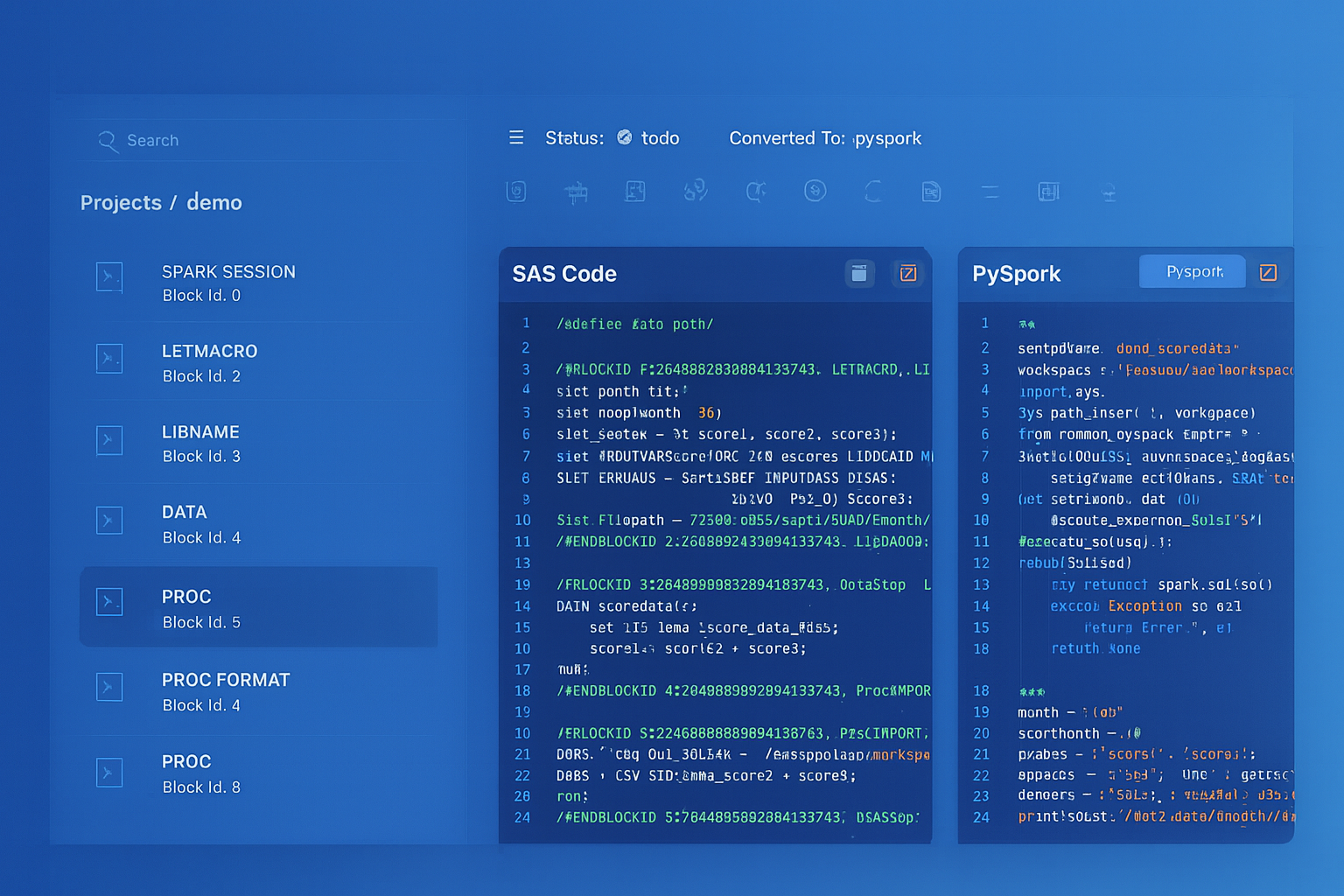
From parsed legacy code to production-ready modern equivalents — MigryX automates the entire conversion pipeline
From Legacy Complexity to Modern Clarity with MigryX
Legacy ETL platforms encode business logic in visual workflows, proprietary XML formats, and platform-specific constructs that are opaque to standard analysis tools. MigryX’s deep parsers crack open these proprietary formats and extract the underlying data transformations, business rules, and data flows. The result is complete transparency into what your legacy code actually does — often revealing undocumented logic that even the original developers had forgotten.
Spatial Tools: H3 and GeoPandas on Spark
Alteryx includes spatial tools for point-in-polygon analysis, trade area calculations, drive-time analysis, and spatial matching. Databricks provides equivalent functionality through the Mosaic library, H3 hexagonal indexing, and GeoPandas integration on Spark.
# Alteryx Spatial Match → Databricks Mosaic / H3

# Install Mosaic (one-time setup):
# %pip install databricks-mosaic

import mosaic as mos
mos.enable_mosaic(spark, dbutils)

# Create H3 index for point data
stores = (
    spark.table("catalog.bronze.stores")
    .withColumn("h3_index", mos.grid_pointascellid(
        F.col("longitude"), F.col("latitude"), F.lit(9)
    ))
)

# Spatial join using H3 index
regions = (
    spark.table("catalog.ref.sales_regions")
    .withColumn("h3_set", mos.grid_polyfill(F.col("geometry"), F.lit(9)))
    .withColumn("h3_index", F.explode(F.col("h3_set")))
)

spatial_match = stores.join(regions, "h3_index", "inner")
Alteryx R Tool and Python Tool to Native Notebooks
Alteryx provides R Tool and Python Tool nodes that execute scripts within the workflow. These are wrappers that pass data between the Alteryx engine and an embedded R or Python runtime. In Databricks, R and Python execute natively in notebook cells without any wrapper overhead.
# Alteryx Python Tool:
# from ayx import Alteryx
# df = Alteryx.read("#1")
# df['score'] = df['value'].apply(lambda x: x * 0.85 + 10)
# Alteryx.write(df, 1)

# Databricks equivalent — no wrapper needed:
df = spark.table("catalog.silver.scores")
scored = df.withColumn("score", F.col("value") * 0.85 + 10)
scored.write.mode("overwrite").saveAsTable("catalog.silver.scored_results")

# For pandas-based operations on Databricks:
import pandas as pd
pdf = df.toPandas()
pdf["score"] = pdf["value"].apply(lambda x: x * 0.85 + 10)
result = spark.createDataFrame(pdf)
result.write.mode("overwrite").saveAsTable("catalog.silver.scored_results")
Orchestration: Alteryx Server Schedules to Databricks Workflows
Alteryx Server provides scheduling, sharing via the Gallery, and worker-node execution. Databricks Workflows replaces all of this with a more capable orchestration layer featuring DAG-based task dependencies, conditional execution, retries, and alerting.
# Databricks Workflow replacing an Alteryx Server scheduled workflow chain:
# Alteryx: Schedule → Run Workflow A → Run Workflow B → Email notification

# Databricks Workflow definition (via Asset Bundles or Terraform):
{
  "name": "daily_customer_pipeline",
  "schedule": {
    "quartz_cron_expression": "0 0 7 * * ?",
    "timezone_id": "America/New_York"
  },
  "tasks": [
    {
      "task_key": "ingest_crm_data",
      "notebook_task": {
        "notebook_path": "/Repos/production/ingest_crm"
      },
      "new_cluster": {
        "spark_version": "14.3.x-scala2.12",
        "num_workers": 2,
        "node_type_id": "i3.xlarge"
      }
    },
    {
      "task_key": "transform_customers",
      "depends_on": [{"task_key": "ingest_crm_data"}],
      "notebook_task": {
        "notebook_path": "/Repos/production/transform_customers"
      }
    },
    {
      "task_key": "build_segments",
      "depends_on": [{"task_key": "transform_customers"}],
      "notebook_task": {
        "notebook_path": "/Repos/production/build_segments",
        "base_parameters": {"run_date": "{{job.start_date}}"}
      }
    }
  ],
  "email_notifications": {
    "on_success": ["team@company.com"],
    "on_failure": ["oncall@company.com"]
  }
}
How MigryX Automates Alteryx-to-Databricks Migration
MigryX provides automated parsing and conversion of Alteryx .yxmd workflow files to Databricks notebooks. The platform reads the XML structure of each workflow, traverses the tool graph, and generates equivalent PySpark code with Delta Lake integration.
The MigryX Alteryx parser handles the full complexity of the .yxmd format:
- .yxmd XML parsing — MigryX parses the XML document, extracting tool configurations, connection topology, and metadata. It reconstructs the workflow DAG and determines execution order based on data dependencies.
- Expression translation — Alteryx formula expressions are tokenized and translated to PySpark equivalents. IF/THEN/ELSE becomes F.when().otherwise(). String concatenation, date functions, and numeric operations are mapped to their PySpark counterparts.
- Tool-to-PySpark conversion — Each Alteryx tool is converted to its PySpark equivalent using the mapping table documented in this article. Input Data becomes spark.read(), Formula becomes .withColumn(), Join becomes .join(), and so on.
- Macro resolution — Standard, Batch, and Iterative macro references (.yxmc files) are resolved, parsed, and converted to Python functions that integrate into the generated notebook.
- Branch handling — Filter True/False branches, Join Left/Right/Inner outputs, and Union inputs are traced through the DAG and generated as separate DataFrame variables with clear naming.
- Connection configuration — Database connections defined in Alteryx are mapped to Databricks connection configurations using Unity Catalog external locations and Databricks Secrets.
- Spatial tool conversion — Spatial tools are converted to Mosaic or H3 equivalents with appropriate library imports and configuration.
For organizations with hundreds of Alteryx workflows, manual conversion is slow and error-prone. A typical Alteryx deployment contains 200-1,000 workflows with complex macro dependencies and shared data connections. MigryX processes the entire workflow library, generates validated PySpark notebooks, and produces migration reports that map every Alteryx tool to its generated PySpark equivalent.
Key Takeaways
- Every Alteryx Designer tool has a direct PySpark equivalent — Input Data to spark.read(), Formula to .withColumn(), Join to .join(), Filter to .filter(), Summarize to .groupBy().agg(), and Output Data to .write.format("delta").
- Alteryx workflows run on single nodes; PySpark on Databricks distributes processing across clusters, enabling orders-of-magnitude performance improvement for large datasets.
- Alteryx macros (Standard, Batch, Iterative) translate cleanly to Python functions, loops, and while-loops with full access to the Python ecosystem.
- The .yxmd XML format is parseable: MigryX extracts tool configurations, expression logic, and connection topology to generate equivalent PySpark notebooks automatically.
- Notebook-based development on Databricks replaces Alteryx's desktop-only model with browser-based, collaborative, Git-integrated analytics development.
- MigryX automates the conversion of Alteryx .yxmd workflows to production-ready Databricks notebooks, handling expression translation, macro resolution, branch routing, and spatial tool conversion at enterprise scale.
Migrating from Alteryx to Databricks represents a shift from desktop-bound, visual-only analytics to cloud-native, code-based data engineering. The transformation logic maps directly: every Alteryx tool has a PySpark equivalent. The compute model shifts from single-node execution to distributed cluster processing. And the collaboration model evolves from binary workflow files on shared drives to version-controlled notebooks in Git repositories. For organizations paying per-seat Alteryx licenses while also investing in Databricks, eliminating the Alteryx layer simplifies architecture and reduces cost. The technical mapping is clear, the .yxmd format is parseable, and MigryX automates the conversion at scale.
Why MigryX Is the Only Platform That Handles This Migration
The challenges described throughout this article are exactly what MigryX was built to solve. Here is how MigryX transforms this process:
- Deep AST parsing: MigryX’s custom-built parsers achieve 95% accuracy on every supported legacy technology — not through approximation, but through true semantic understanding.
- Merlin AI augmentation: Where deterministic parsing reaches its limit, Merlin AI resolves ambiguities and implicit behaviors, pushing accuracy to 99%.
- Complete coverage: MigryX supports 25+ source technologies including SAS, Informatica, DataStage, SSIS, Alteryx, Talend, ODI, Teradata, and Oracle PL/SQL.
- End-to-end automation: From parsing to conversion to validation — MigryX automates the entire pipeline, not just one step.
MigryX combines precision AST parsing with Merlin AI to deliver 99% accurate, production-ready migration — turning what used to be a multi-year manual effort into a streamlined, validated process. See it in action.
Ready to migrate from Alteryx to Databricks?
See how MigryX parses Alteryx .yxmd workflows and generates production-ready Databricks notebooks with PySpark, Delta Lake, and Workflows integration.
Explore Alteryx Migration Schedule a Demo